

Now Reading: Google’s AI-Powered Workspace in Search Is Now Available to All US Users: Here Is What Actually Changed
-
01
Google’s AI-Powered Workspace in Search Is Now Available to All US Users: Here Is What Actually Changed
Google’s AI-Powered Workspace in Search Is Now Available to All US Users: Here Is What Actually Changed

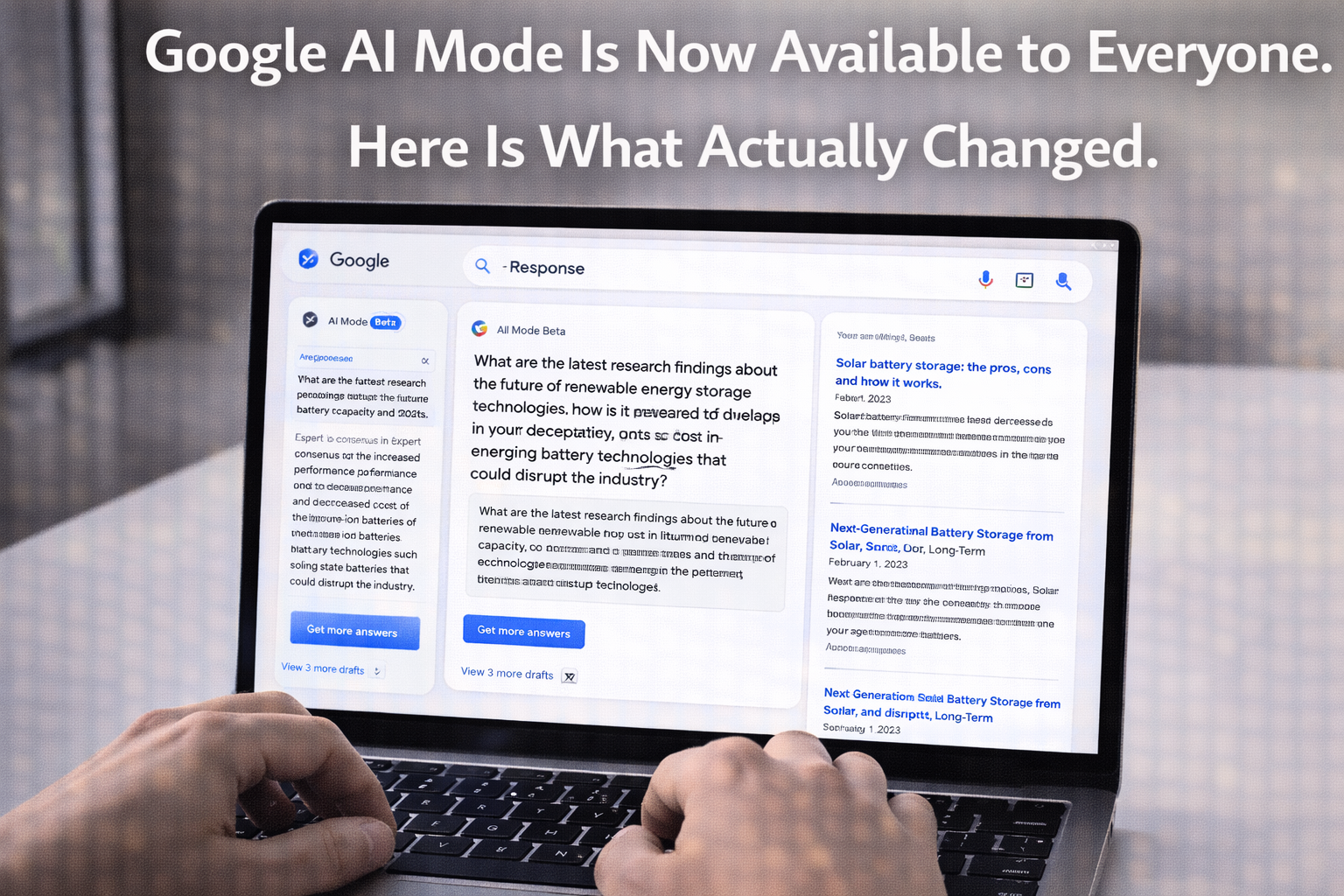
Google has completed the rollout of its AI Mode in Google Search to all US users, marking the broadest deployment yet of conversational AI capabilities integrated directly into the world’s most widely used information retrieval system. The expansion follows a graduated rollout that began with Search Labs opt-in users and Google One subscribers, and the general availability represents Google’s most direct statement yet that AI-augmented search is the future of the product.
Thank you for reading this post, don't forget to subscribe!Understanding what AI Mode actually does, how it differs from the AI Overviews that most Search users have already encountered, and whether it genuinely improves the search experience for everyday information tasks requires looking past the launch announcement to the specifics of what has changed.
AI Mode vs. AI Overviews: What Is Different
Most Google Search users have already encountered AI Overviews, the generated summary that appears at the top of results pages for informational queries. AI Overviews were controversial when they launched, with notable early failures in factual accuracy that generated significant press coverage, but have improved substantially through subsequent model updates and guardrails.
AI Mode is a more expansive experience than AI Overviews. Where AI Overviews provide a summary above standard search results, AI Mode enables a conversational interface that allows multi-turn dialogue about a topic, follow-up questions that build on previous context, deep dive tabs that organize information by aspect rather than by source, and integration with other Google products including Maps, Shopping, and Flights.
The Multi-Turn Conversation Capability
The most practically useful addition in AI Mode for many users is multi-turn conversation. Standard search requires you to reformulate your entire query when you want to refine or expand on a previous search. AI Mode allows you to ask follow-up questions that reference the context of the conversation without restating it.
Searching for information about a complex topic now works more like consulting a knowledgeable person than like submitting discrete queries to an index. You can ask for an overview, follow up with a clarifying question, ask for a specific comparison, and request a recommendation, all within a single conversation that builds on itself.
The Research Workflow Change: AI Mode’s most significant impact is on multi-step research tasks. A query that previously required five or six separate searches, each building on the results of the last, can now be handled within a single AI Mode conversation that maintains context throughout. The time savings for users who regularly conduct research tasks are meaningful and measurable.
What AI Mode Does Well
Complex Informational Queries
AI Mode performs best on complex informational queries that require synthesizing information from multiple sources or that benefit from being broken down into component questions. Medical information queries, technical explanations, comparison tasks, and questions that require contextual understanding rather than simple fact retrieval all benefit substantially from the conversational approach.
Planning and Decision Support
The integration with Google Maps, Shopping, and Flights within AI Mode creates a planning tool that is genuinely more useful than conducting equivalent research through separate searches. Planning a trip, comparing purchases, or researching options in a specific category can be done more fluidly when the AI interface can access and synthesize these data sources in response to conversational queries.
Deep Dive Organization
The deep dive feature, which organizes information about a topic into categorized tabs covering different aspects, is particularly useful for users approaching an unfamiliar topic who need a structured overview before they know what specific questions to ask. It functions like a curated research brief that can then be explored through follow-up questions.
Where AI Mode Still Falls Short
AI Mode inherits the limitations of AI-generated content more broadly. Factual accuracy on specific, verifiable claims requires the same critical evaluation that AI Overviews require. Information about recent events is limited by the model’s knowledge cutoff and the quality of web grounding that the real-time search integration provides. And for queries where the most useful answer is a single specific source, the AI synthesis may obscure the provenance of information in ways that make verification harder.
The experience on mobile is less polished than on desktop, with the conversational interface feeling slightly cramped on smaller screens. Google has indicated that mobile optimization is an ongoing development priority, but users who primarily search on phones will find the experience less compelling than desktop users at launch.
How to Access and Enable AI Mode
- Go to google.com in a browser where you are signed in to a Google account.
- Look for the AI Mode option in the search bar area or in the tabs below search results on recent queries.
- If AI Mode is not visible, check that your Google account is set to US region and that Labs features are enabled in your Search settings.
- The first use of AI Mode may prompt a brief explanation of the feature and confirmation that you want to proceed.
Bottom Line: Google AI Mode’s general availability is the most significant change to the Google Search experience since the introduction of featured snippets. The multi-turn conversation capability and deep dive organization genuinely improve research workflows for complex queries. The limitations around factual accuracy and source attribution require users to maintain the same critical evaluation habits that apply to all AI-generated content. For the queries where it works well, AI Mode makes Google Search substantially more useful than it has been for research tasks. Enable it and try it on a complex research question to experience the practical difference.
Related: Google Gemini Canvas Review | NotebookLM Video Overviews | How Claude Code Works
Related Posts



Stay Informed With the Latest & Most Important News
Previous Post
Next Post


Top News
- Google’s AI-Powered Workspace in Search Is Now Available to All US Users: Here Is What Actually Changed
- How Jeffrey Epstein Used Silicon Valley’s Network: What the Reporting on Reid Hoffman and Tech’s Elite Reveals

- Where to Preorder the iPhone 17E Right Now: Every Deal Ranked Before the March 11 Launch

- Google Apps Experience and Games Level Up: The Programs That Could Cut Your Play Store Commission Significantly

- Google Is Not Waiting for a Settlement: It Just Killed the 30 Percent App Store Fee Unilaterally













Advertisement