

Now Reading: BenQ’s New Mac Monitor Could Be a Cheaper Alternative to Apple’s Studio Display: Full Review
-
01
BenQ’s New Mac Monitor Could Be a Cheaper Alternative to Apple’s Studio Display: Full Review
BenQ’s New Mac Monitor Could Be a Cheaper Alternative to Apple’s Studio Display: Full Review

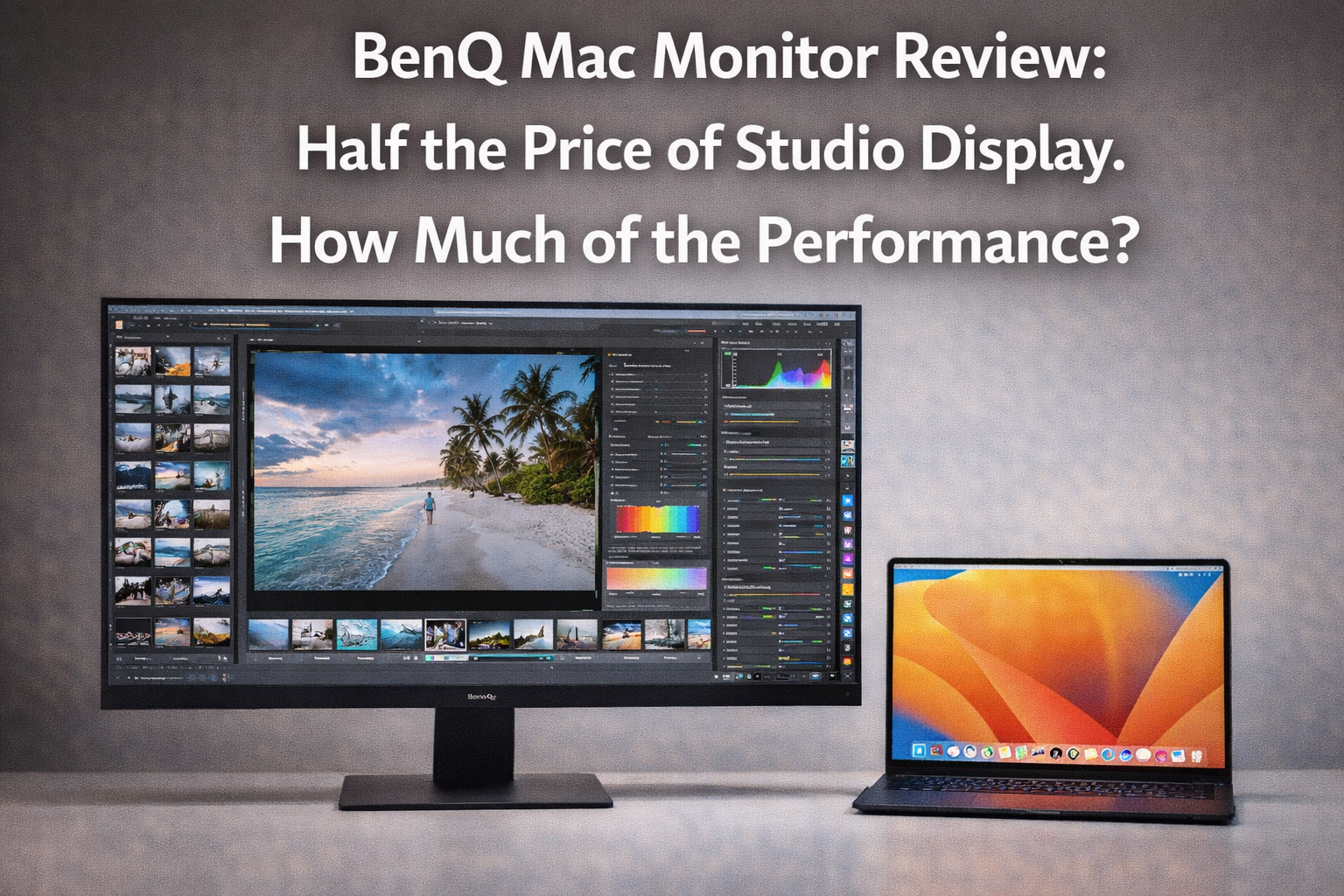
Apple’s Studio Display is a genuinely excellent monitor. At $1,599, it is also a monitor that many Mac users want but cannot easily justify, particularly when the underlying panel technology is not meaningfully different from monitors available at half the price from third-party manufacturers. The gap between what the Studio Display costs and what its core display hardware is worth has been a persistent frustration in the Mac accessory market.
Thank you for reading this post, don't forget to subscribe!BenQ’s new Mac-optimized monitor is the latest and most targeted attempt to fill this gap. Unlike generic monitors that work with Macs, the BenQ has been specifically designed and calibrated for the Mac ecosystem, with color profiles tuned to match Apple’s display standards, software that integrates with macOS display management, and a design language that is explicitly intended to complement Apple’s aesthetic. Here is whether it actually delivers.
The Display Panel: Where It Counts
Color Accuracy and Calibration
The most important technical claim BenQ makes for its Mac monitor is factory calibration to Delta E values that meet professional color work standards. The calibration report included with each unit documents the specific measurements for the individual monitor, which is a level of quality assurance that Apple’s Studio Display does not provide individually and that most monitors at any price point do not offer.
In practice, the color accuracy is excellent. Side-by-side comparison with a calibrated Studio Display shows color rendering that is indistinguishable to the eye across a wide range of test images, including the skin tone and neutral gradient tests where calibration differences typically show most clearly. For photographers, video editors, and designers who need trustworthy color, the BenQ delivers what it promises.
The HDR Implementation
The BenQ’s HDR performance is the area where the price difference with the Studio Display is most honestly visible. The peak brightness and local dimming capability of the BenQ’s HDR implementation are below what the Studio Display achieves, which matters for HDR video content that is intended to be experienced at full specification.
For the majority of Mac users whose workflows center on photo editing, graphic design, document work, and standard dynamic range video, the HDR gap is irrelevant. For users who regularly work with HDR video or who watch HDR content as a primary use case, the gap is real and worth considering.
The Calibration Advantage: The Studio Display ships with Apple’s standard display profile. The BenQ ships with a factory calibration report for that specific unit. For professional color work, the BenQ’s individual calibration is actually more valuable than the Studio Display’s generic profile, because it guarantees the specific unit’s accuracy rather than the model’s average performance.
Mac Integration: The Differentiator That Matters
Resolution and Scaling
The BenQ’s native resolution and its handling of macOS HiDPI display scaling avoids the common frustration of third-party monitors where achieving the correct Retina-equivalent display density requires workarounds or third-party software. The monitor and its accompanying driver software present the correct resolution options in System Preferences without requiring the SwitchResX workarounds that many Mac users have had to employ with monitors that did not handle macOS scaling correctly.
USB-C and Connectivity
The monitor connects to Macs via a single USB-C cable that handles display signal, USB hub functionality, and power delivery in the 96W range adequate for MacBook Air charging. The USB-C hub on the monitor back includes downstream ports that eliminate the need for a separate hub on desks where port availability is a constraint.
The USB-C implementation is straightforward and reliable, which is not something that can be said of every monitor in this category. Plug-in and immediate display recognition, correct resolution selection, and stable power delivery work as expected with the tested MacBook Air M4 and Mac Mini M4.
The Design and Build Question
The BenQ’s design is clearly influenced by Apple’s aesthetic but does not match it. The stand is less elegant, the bezel is slightly thicker, and the materials feel less premium in hand than the Studio Display’s aluminum and glass construction. On a desk where it is used rather than displayed, these differences matter less than they do in a showroom comparison, but users who care about the visual coherence of their workspace will notice them.
The stand adjustability is actually better than the Studio Display: tilt, height, and rotation are all adjustable without purchase of an additional VESA mount adapter, unlike the Studio Display’s fixed-height stand that requires Apple’s Pro Stand accessory for height adjustment.
The Verdict: Is It Worth It?
Price: Approximately $800, roughly half the Studio Display’s $1,599.
Color accuracy: Excellent, with factory calibration documentation. Matches Studio Display for non-HDR work.
HDR: Below Studio Display spec. Matters for HDR video; irrelevant for most professional workflows.
Mac integration: Excellent scaling, clean USB-C implementation, no workarounds required.
Design: Good but not Apple-quality. The stand is more functional but less beautiful.
Bottom Line: The BenQ Mac monitor earns a strong recommendation for Mac users who need professional color accuracy and cannot justify the Studio Display premium. The color performance is genuinely equivalent to the Studio Display for non-HDR workflows, the Mac integration is smooth, and saving $800 is real money. If you need HDR performance or absolute build quality parity with Apple’s aesthetic standards, the Studio Display remains the reference. For everyone else, the BenQ makes the Studio Display a harder purchase to justify. Score: 8.5/10
Related: MacBook Air M4 Best Price Deal | MacBook Neo $599 Review | Best Monitors for Mac 2025
Related Posts


Stay Informed With the Latest & Most Important News


Top News
- Google’s AI-Powered Workspace in Search Is Now Available to All US Users: Here Is What Actually Changed

- How Jeffrey Epstein Used Silicon Valley’s Network: What the Reporting on Reid Hoffman and Tech’s Elite Reveals

- Where to Preorder the iPhone 17E Right Now: Every Deal Ranked Before the March 11 Launch
- Google Apps Experience and Games Level Up: The Programs That Could Cut Your Play Store Commission Significantly

- Google Is Not Waiting for a Settlement: It Just Killed the 30 Percent App Store Fee Unilaterally













Advertisement