

Now Reading: Google Gemini Canvas in AI Mode Is Now Live: Here Is Everything You Can Do With It
-
01
Google Gemini Canvas in AI Mode Is Now Live: Here Is Everything You Can Do With It
Google Gemini Canvas in AI Mode Is Now Live: Here Is Everything You Can Do With It

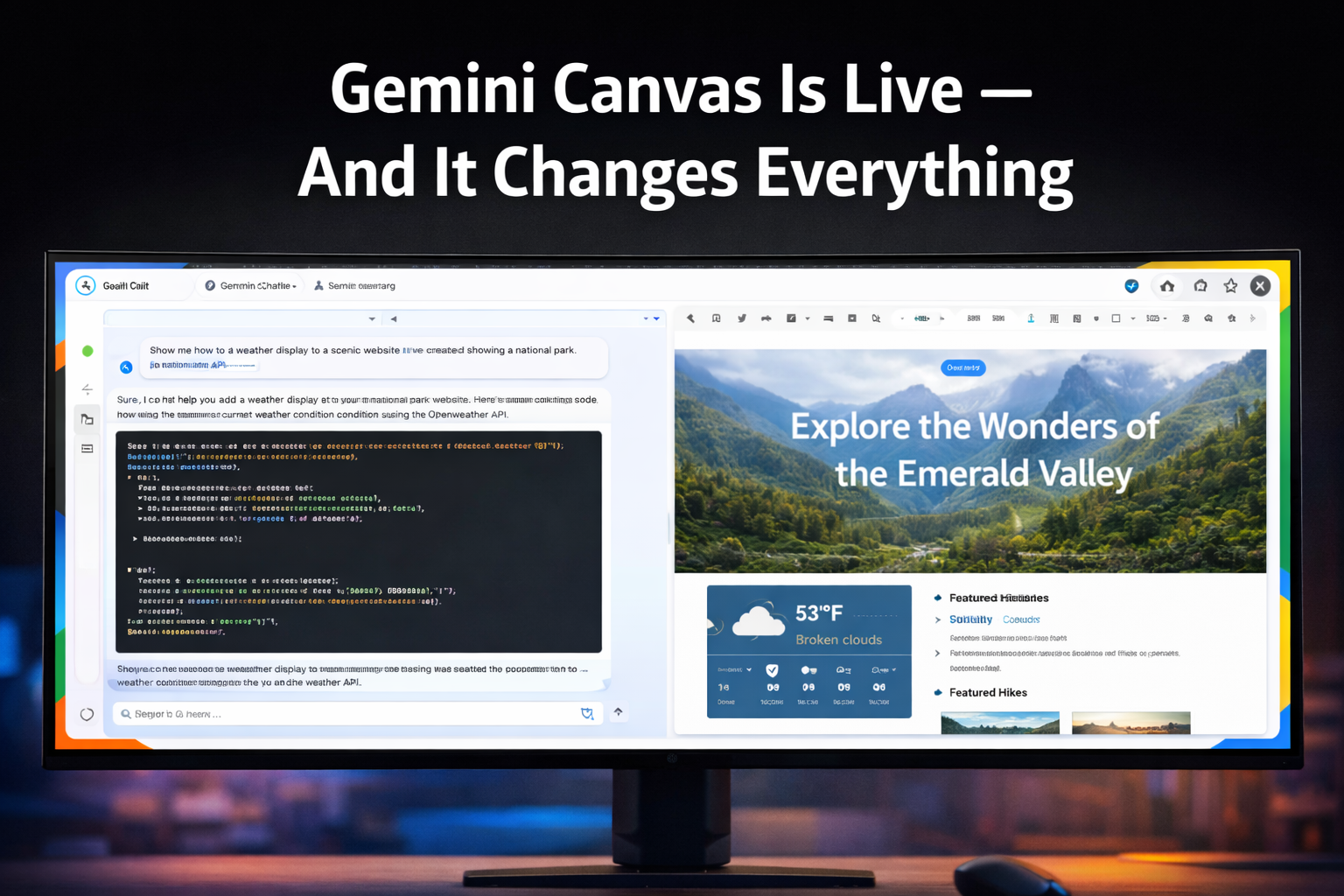
Google’s approach to AI tools has consistently been to integrate AI deeply into existing workflows rather than to create standalone AI experiences. Gemini Canvas, the latest major addition to Google’s AI Mode, follows this philosophy: it is not a separate application but an AI-powered collaborative workspace embedded directly into the Gemini interface that transforms how you work with AI-generated content.
Thank you for reading this post, don't forget to subscribe!The feature is now broadly available in AI Mode and represents Google’s most direct response to the collaborative canvas features in Claude, ChatGPT, and Copilot. Here is what Canvas can do, how it differs from competitors, and where it genuinely adds value.
What Is Gemini Canvas?
Canvas in Gemini AI Mode is a collaborative workspace panel that appears alongside the chat interface, allowing AI-generated content to be created, displayed, and edited in a live document environment rather than as text in a chat window. When you ask Gemini to write a document, create a report, draft code, or generate a structured artifact, Canvas displays the result in a dedicated panel where both you and the AI can make changes in real time.
The key difference from standard chat-based AI output is persistence and editability. Content created in Canvas stays in place as you continue the conversation, can be edited directly by you or refined through further AI instructions, and maintains context across multiple rounds of revision without losing earlier versions.
Document and Long-Form Writing in Canvas
For writing tasks, Canvas provides a word processor-like environment where AI-generated content is fully editable. You can ask Gemini to draft a report, then select specific sections and ask for rewrites, expansions, or tone changes directly in Canvas. The AI understands the document structure and can make targeted revisions without regenerating content that does not need to change.
The formatting capabilities in Canvas go beyond what standard markdown chat output provides: proper heading hierarchies, table creation, bullet and numbered lists, and text styling are all supported and rendered in the Canvas panel. For documents intended for sharing or further editing in Google Docs, Canvas output exports cleanly to Google’s ecosystem.
Code Creation and Live Preview
Canvas is particularly powerful for coding tasks. Gemini generates code in Canvas with syntax highlighting and proper formatting, and for web technologies, a live preview panel shows the rendered output of HTML, CSS, and JavaScript in real time. The cycle of describe, generate, preview, refine, regenerate happens within Canvas without requiring copy-paste into a separate environment.
For more complex code projects, Canvas maintains the full code context across multiple files or components, allowing Gemini to make changes that affect multiple parts of a project consistently. This is the most direct competition with Cursor and other AI coding environments from a Google product.
The Live Preview Advantage: Being able to see the rendered output of AI-generated web code in real time within Canvas compresses the feedback loop between generation and evaluation dramatically. Iteration that previously required switching between a code editor and a browser now happens in a single interface, which is a meaningful workflow improvement for rapid prototyping.
How Canvas Compares to Competitors
vs. Claude Artifacts
Claude’s Artifacts feature was among the first to popularize the side-panel canvas model for AI-generated content. Canvas in Gemini is a direct parallel. Gemini Canvas benefits from tighter integration with Google’s ecosystem, including direct Google Docs export and Google Drive storage. Claude’s Artifacts have a broader range of supported artifact types at launch. The underlying model quality difference is the more significant variable for most users.
vs. ChatGPT Canvas
OpenAI introduced Canvas for ChatGPT in late 2024. The features are broadly comparable: persistent editing environment, AI revision capabilities, code with preview. Google’s implementation benefits from Gemini’s multimodal strengths, particularly for tasks that combine text with images or data visualization. ChatGPT Canvas has been iterating faster given its earlier release, giving it a slight feature maturity advantage.
vs. Microsoft Copilot Pages
Microsoft’s Copilot Pages is embedded in Teams and the Microsoft 365 ecosystem with tight integration into Word, Excel, and PowerPoint. For organizations using Microsoft 365, Copilot Pages offers the deepest ecosystem integration. Gemini Canvas offers better standalone AI capability and tighter Google Workspace integration.
Practical Use Cases for Gemini Canvas
- Research reports: Ask Gemini to draft a structured research report on any topic, then refine sections, add data tables, and adjust the structure in Canvas before exporting to Google Docs.
- Code prototyping: Describe a web app concept, generate the initial code in Canvas, use the live preview to iterate on the design, and deploy when ready.
- Presentation outlines: Build presentation structures in Canvas, ask Gemini to expand individual slide content, then export the outline to Google Slides for final formatting.
- Document review and editing: Paste existing documents into Canvas and ask Gemini to suggest improvements, restructure sections, or adjust the tone.
- Data analysis reports: Combine Google Sheets data integration with Canvas to generate AI-written analysis reports grounded in your actual data.
The Google Ecosystem Integration Advantage
Canvas’s most compelling differentiator for existing Google users is the integration with the broader Workspace ecosystem. Canvas documents export to Google Docs maintaining formatting. Code projects can be saved to Google Drive. Data visualizations connect to Google Sheets. This ecosystem coherence reduces the friction of moving between AI-generated content and the tools where that content will ultimately be used.
For organizations that run on Google Workspace, Canvas in Gemini AI Mode is the most naturally integrated AI canvas available. The productivity argument for organizations already in the Google ecosystem is straightforward.
Bottom Line: Gemini Canvas is a well-executed addition to Google’s AI tool suite that brings a feature set competitive with Claude Artifacts and ChatGPT Canvas while adding meaningful Google ecosystem integration advantages. For Google Workspace users especially, it is the easiest path to AI-augmented document and code creation without leaving your existing tool stack.
Related: NotebookLM Cinematic Video Overviews | Google Pixel 10 and Gemini AI | Best AI Productivity Tools 2025
Related Posts

Stay Informed With the Latest & Most Important News



Top News
- Google’s AI-Powered Workspace in Search Is Now Available to All US Users: Here Is What Actually Changed
- How Jeffrey Epstein Used Silicon Valley’s Network: What the Reporting on Reid Hoffman and Tech’s Elite Reveals

- Where to Preorder the iPhone 17E Right Now: Every Deal Ranked Before the March 11 Launch

- Google Apps Experience and Games Level Up: The Programs That Could Cut Your Play Store Commission Significantly

- Google Is Not Waiting for a Settlement: It Just Killed the 30 Percent App Store Fee Unilaterally













Advertisement